 FASTIMG
 English
edit tool
Remove objects from photos with AI
Free forever · Unlimited edits · No signup · No watermark
Name the thing you want gone, such as a traffic cone, a stray bag, or a passer-by, and FastImg removes it and fills the gap so the scene reads as if it was never there. Everything else in the photo stays as it was.
Before and after: a traffic cone removed from a park photo
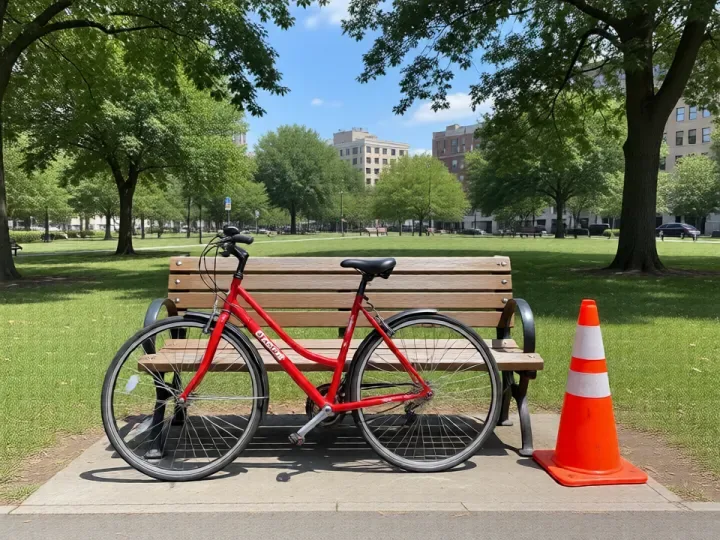
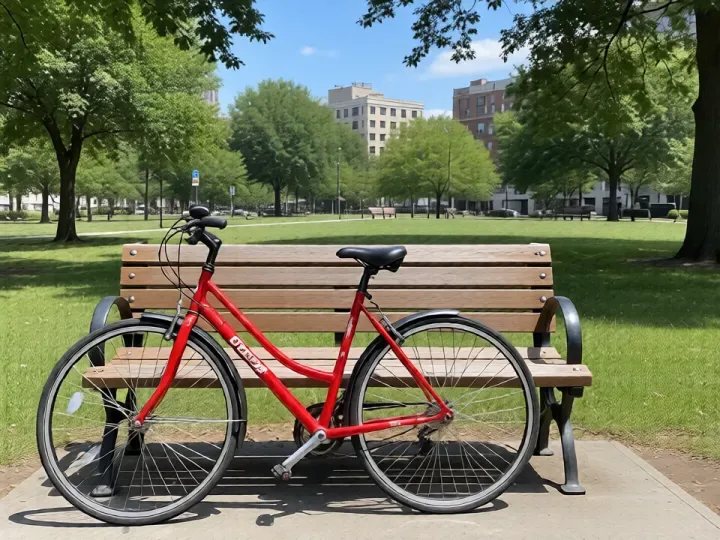
Both images come from FastImg. The park scene was generated from text, then edited with the prompt above.
How to remove objects from photos with AI
- Upload the photo with the object you want to remove
- Describe the object in plain words, for example the orange traffic cone or the person on the left
- Generate the edit and check the filled-in area with the before and after slider
- Download the clean version as a PNG
What people remove
- Cones, signs, and bins from street and travel photos
- Strangers walking through the background
- Clutter on a desk or table around the main subject
- Cables, stands, and props from product shots
- Spots and marks on a wall or floor
Input and output
- Small and mid-sized objects give the cleanest results; very large objects leave more area to fill in
- Describe one object per edit and chain edits if you need to remove several
- Input: one photo at a time as JPEG, PNG, WebP, or GIF; an optional second image can be attached as a style reference
- Very large photos are scaled down in your browser before the edit is sent
- Output: every version downloads as a PNG, straight from the timeline
- The edit follows your prompt, so name the exact thing to change and what should stay the same
Frequently asked questions
Is FastImg free forever?
Yes. FastImg image editing is free forever, with unlimited edits and no signup required.
Will my edited image have a watermark?
No. FastImg does not add a watermark to edited images.
Do I have to select or paint over the object?
No. There is no brush or mask. Describe the object in the prompt and FastImg finds and removes it.
What fills the space where the object was?
FastImg continues the surrounding scene, such as grass, pavement, or a wall, so the area matches what is around it.
Can I remove several objects from one photo?
Yes. Remove one, then type the next prompt on top of the result. Each edit builds on the previous one, and you can step back if an edit goes too far.