 FASTIMG
 English
edit tool
Change clothes in a photo with AI
Free forever · Unlimited edits · No signup · No watermark
Describe the outfit and FastImg redresses the person in the photo while keeping their face, pose, and the background. Swap a t-shirt for a suit, change a color, or try a dress, then step back and try another look.
Before and after: a t-shirt changed to a suit
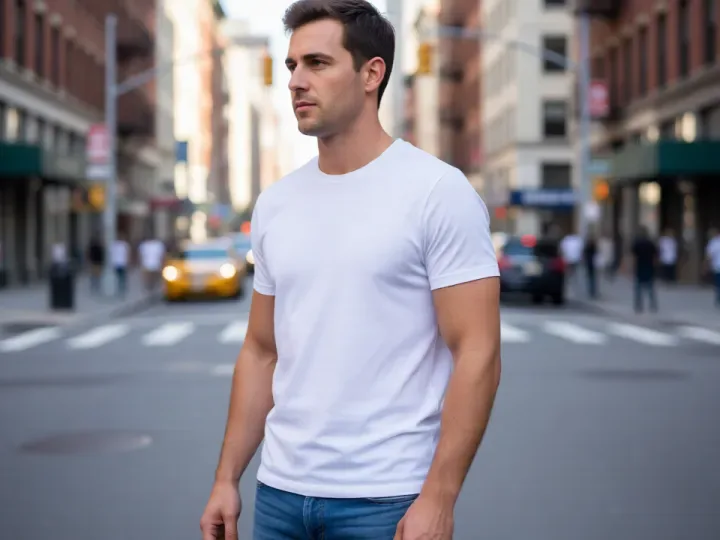
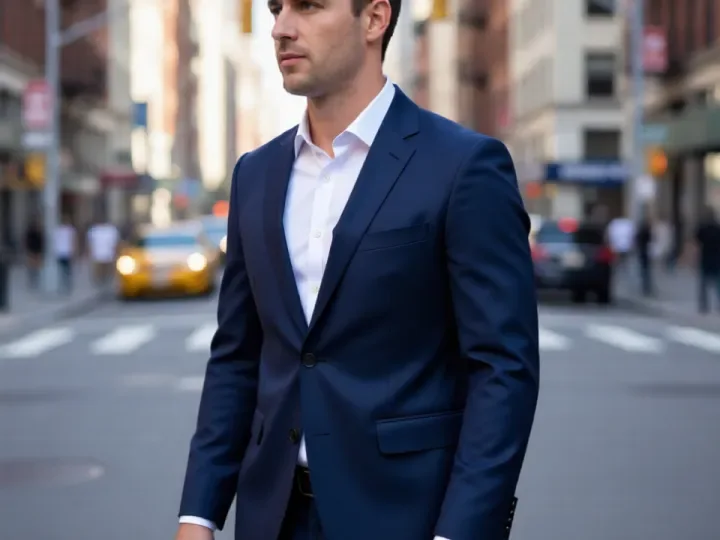
Both images come from FastImg. The street portrait was generated from text, then edited with the prompt above.
How to change clothes in a photo with AI
- Upload a photo where the clothing is clearly visible
- Describe the new outfit, including color and style, for example a navy blue suit with a white shirt
- Generate the edit and compare it with the original
- Branch from the original to try a second outfit
- Download the look you prefer as a PNG
When to change clothes in a photo
- Turn a casual photo into a formal headshot
- Preview an outfit color before buying
- Match everyone in a group photo to the same dress code
- Update an old portrait with a current style
- Create variations of a look for a lookbook or social post
Input and output
- Front-facing photos with the clothing in full view give the most reliable result
- Name the garment and its color; vague prompts such as something nicer lead to unpredictable outfits
- Input: one photo at a time as JPEG, PNG, WebP, or GIF; an optional second image can be attached as a style reference
- Very large photos are scaled down in your browser before the edit is sent
- Output: every version downloads as a PNG, straight from the timeline
- The edit follows your prompt, so name the exact thing to change and what should stay the same
Frequently asked questions
Is FastImg free forever?
Yes. FastImg image editing is free forever, with unlimited edits and no signup required.
Will my edited image have a watermark?
No. FastImg does not add a watermark to edited images.
Will the face and pose stay the same?
That is what the edit aims for. You describe only the clothing, and FastImg keeps the person, pose, and background. If something shifts, step back on the timeline and rephrase.
Can I change only the color of a garment?
Yes. A prompt such as make the jacket dark green changes the color and leaves the cut and everything else alone.
Can I try several outfits on the same photo?
Yes. Every edit branches from the version you pick, so you can generate a suit, a dress, and a jacket from the same original and compare them.